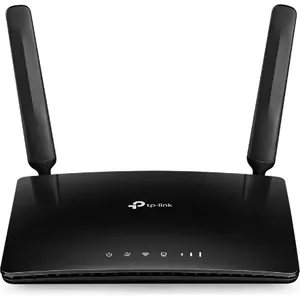
What is a 4G/5G router and how can it be useful to me in Morocco?
A 4G/5G router is a device that uses a SIM card to connect to the internet via mobile networks (4G or 5G) and create a Wi-Fi network to connect multiple devices (computers, smartphones, tablets, etc.). In Morocco, it is ideal for areas where wired connection is limited, as a backup solution, or for temporary offices.
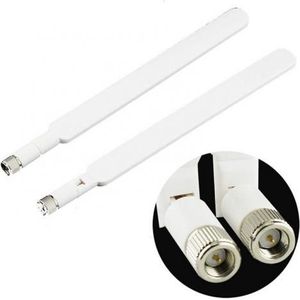
What is the difference between a 4G router and a 5G router for the Moroccan market?
The main difference lies in connection speed and latency. 5G routers offer significantly higher speeds and lower latency than 4G routers, allowing for faster downloads, smoother streaming, and a better online gaming experience. 5G availability in Morocco is still being deployed, so 4G remains a very high-performance and widely available option.
Do I need a specific subscription to use a 4G/5G router in Morocco?
Yes, you will need a SIM card from a Moroccan mobile operator (Maroc Telecom, Orange, Inwi) with an internet data plan suitable for your usage. The router itself does not include a plan or SIM card.
How do I choose the right 4G/5G router for my needs in Morocco (home, office, travel)?
For home use, opt for a router offering good Wi-Fi range and compatibility with the most used 4G/5G bands in Morocco. For an office, look for models with more Ethernet ports and advanced security features. For mobile use, a portable and compact router will be more suitable.
What are the main mobile operators in Morocco and their 4G/5G coverage?
The main operators in Morocco are Maroc Telecom, Orange, and Inwi. Their 4G coverage is generally excellent in most cities and inhabited areas. 5G coverage is still in the deployment phase and more concentrated in certain major cities. It is advisable to check the coverage of each operator in your specific area before making your choice.
Is it difficult to install and configure a 4G/5G router?
Generally, installation is very simple. Just insert the SIM card, turn on the router, and connect to the Wi-Fi network created by default (login details are often indicated on the device). Advanced configuration (changing Wi-Fi name, password, etc.) is done via a user-friendly web interface accessible from a browser.